

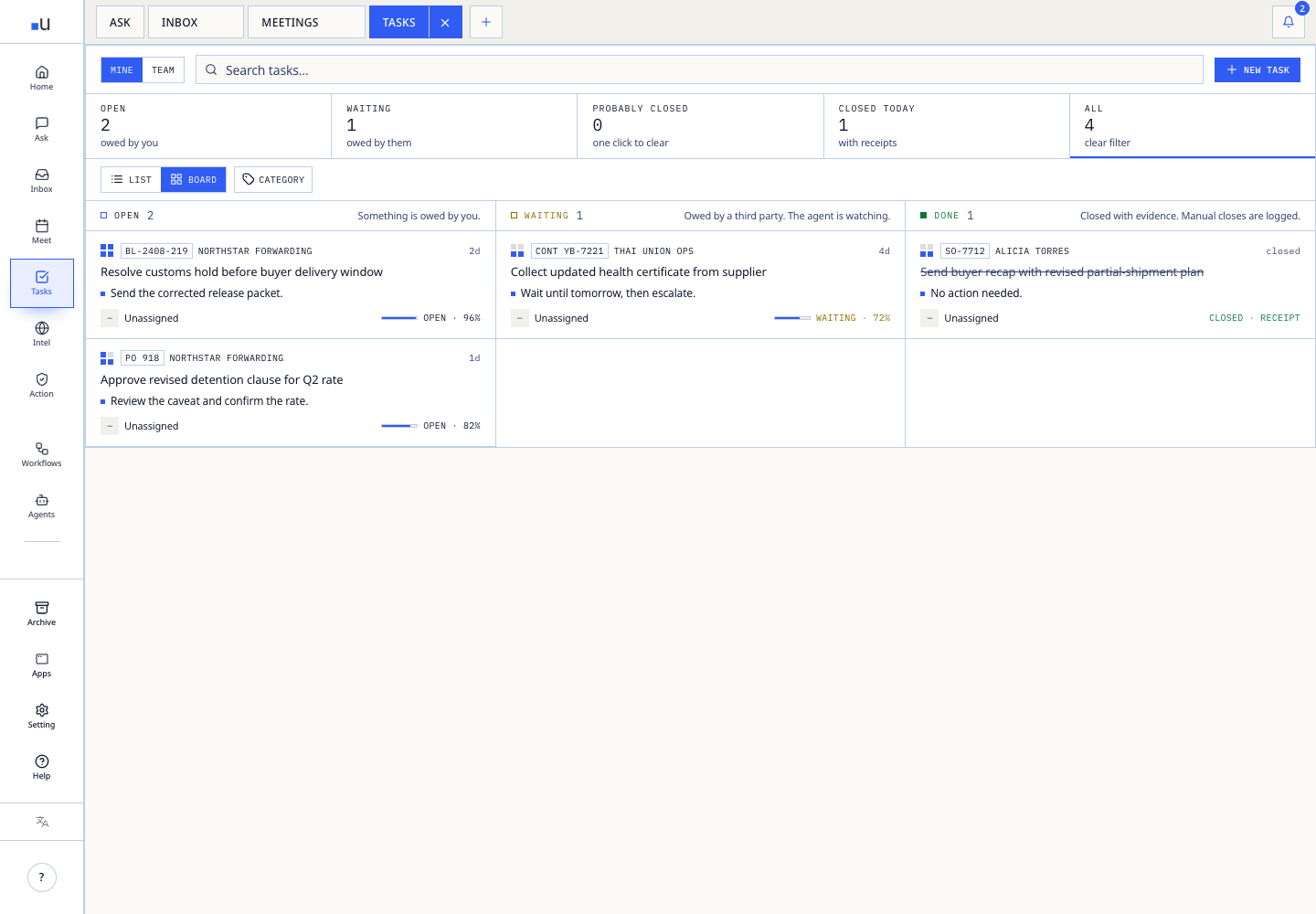
Tasks turns inbox replies, meeting follow-ups, approval requests, and agent recommendations into owned work with a deadline, source context, and trail. It is built individual-first: your queue first, then the wider team and external counterparties.

What Tasks does

SurfaceOperating use
Personal queueTasks you own, sorted by deadline, source, owner risk, and blocker.
Assign to anyoneTeammates get queue items; external owners receive email and can reply.
Source attachedEvery task carries the email, meeting, document, or thread it came from.
Activity trailReassignments, edits, completion, and delays are timestamped.

A typical task loop

01 · Create from evidence Convert a thread, meeting note, document, or recommendation into work only when the expected outcome is clear.
02 · Assign by authority Keep it, hand it to a teammate, or send it to a supplier, customer, or forwarder with enough context to act.
03 · Track blockers The owner sees the task in their queue or inbox; you see whether it is waiting on evidence, approval, or a counterparty.
04 · Close with context Mark done, edit, or reassign while preserving the source and final decision trail.
Share without seats. You do not need every owner inside Ubik. Email-based handoff lets freight forwarders, suppliers, customers, and internal reviewers act on a task and reply without onboarding into a new tool.

Useful prompts around tasks

SituationAsk Ubik
End of day”Which tasks are blocked by another owner, missing evidence, or waiting on approval before tomorrow?”
Manager view”Which tasks have been open more than 5 days, what customer or margin risk do they carry, and who owns the next decision?”
Supplier chase”Create a task to chase the freight forwarder for BL-2408-219, attach the last ETA note, and set the owner.”
Customer follow-up”Turn this buyer ask into a task, attach the last quote, and flag whether finance approval is needed.”

Next pages

Last modified on May 28, 2026