

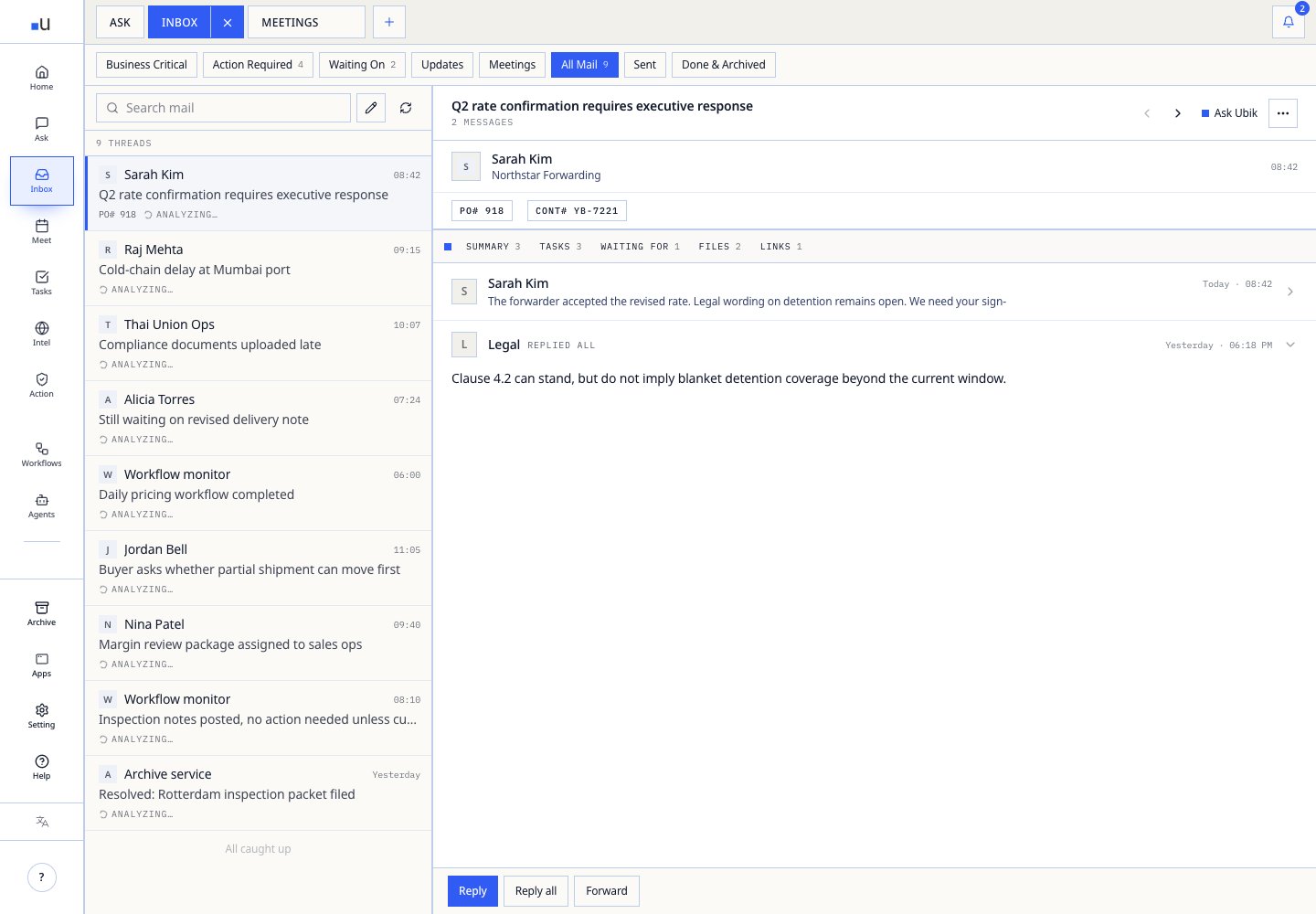
What Ubik does in your inbox
| Signal | Operating use |
|---|---|
| Buyer commitment | Promotes threads where price, quantity, promise date, or substitute product needs review. |
| Source recall | Pulls past quotes, shipments, supplier history, margin guardrails, and lane context into the review path. |
| Drafted action | Prepares replies, internal handoffs, escalations, and tasks without sending them automatically. |
| Noise control | Keeps newsletters, marketing, and low-signal threads out of the operating queue. |
A typical inbox loop
01 · Detect risk Ubik flags the threads where a customer promise, supplier dependency, or internal owner is waiting.
02 · Bring context The review path includes account history, inventory, margin guardrails, lane history, and relevant prior decisions.
03 · Decide route Approve, edit, assign, wait, escalate, or reject based on authority and evidence quality.
04 · Preserve trail Every moved reply carries reviewer, timestamp, and source context for later review.
Privacy posture. Ubik reads only approved inboxes. Replies, approvals, and ERP handoffs stay human-reviewed. Customer, supplier, pricing, and margin data does not train any model.
Useful prompts inside Inbox
| Situation | Ask Ubik |
|---|---|
| Backlog triage | ”Which buyer or supplier threads have waited more than 36 hours, and what promise or owner is at risk?” |
| Quote prep | ”Pull the last three quotes for this account, current margin guardrail, open inventory, and any unresolved service issue.” |
| Escalation | ”Draft a partial-shipment reply that is honest about timing, protects internal margin, and routes finance approval before sending.” |
| Manager review | ”Which threads have been blocked the longest, who owns the next decision, and what evidence is missing?” |

