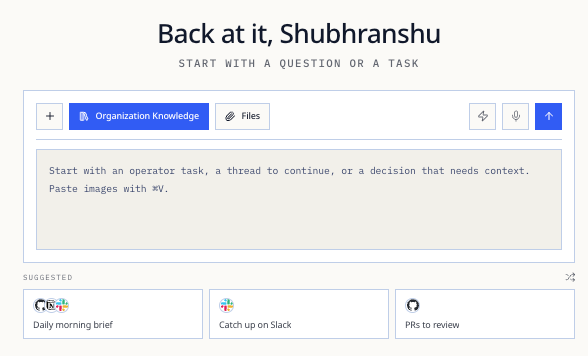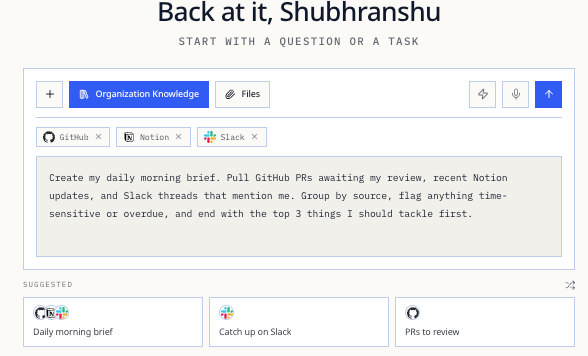

Ask Ubik when the operating question is bigger than a keyword search: why a shipment is slipping, where margin changed, which promise was made, or what context a leader needs before approving the next move.
Best uses
- Reconstruct account, shipment, quote, and supplier context across inbox, meetings, tasks, and documents.
- Explain why a queue is waiting, which owner is accountable, and what decision would unblock it.
- Compare the current state against the last commitment, last quote, contract terms, or operating plan.
- Prepare executive review notes with source links, assumptions, uncertainty, and recommended next action.
- Turn reviewed context into a draft reply, approval request, task, or escalation path.
Executive prompt patterns
Use Ask Ubik like an operating analyst, not a chatbot. Give it the business object, the decision you are trying to make, and the evidence standard you expect.
Operator Tasks
Margin and price
Customer risk
Supply execution
SituationAsk Ubik
Daily exception review”Show the 10 operating exceptions most likely to affect customer promises this week. Group by revenue risk, owner, source system, and next decision needed.”
Blocked work”Which queues have been blocked for more than 48 hours, what evidence is missing, and which manager can unblock each one?”
Leadership briefing”Prepare a COO brief for today’s standup: late shipments, margin exceptions, supplier misses, buyer escalations, and actions that need executive approval.”
Follow-through audit”Compare last week’s meeting commitments with completed tasks. Call out missed handoffs, stale owners, and promises that changed without a note.”
SituationAsk Ubik
Quote review”Before we approve this quote, compare current COGS, freight, duty reserve, free-time exposure, and last buyer price. Where is margin most exposed?”
Price drift”Find orders where quoted margin and expected landed margin now differ by more than 60 bps. Show the driver and recommended recovery action.”
Contract discipline”Which open buyer commitments rely on stale freight, FX, tariff, or supplier-cost assumptions? Prioritize by revenue and customer sensitivity.”
Supplier negotiation”Build a negotiation memo for this supplier: late shipments, quality claims, price moves, recovery credits, and terms we should ask for next.”
SituationAsk Ubik
Escalation prep”Summarize the full history of this buyer escalation: original promise, changes, internal owner, supplier dependency, and safest customer update.”
Account health”Which strategic accounts have unresolved service, quality, or pricing issues that have appeared in more than one channel this month?”
Reply approval”Check this draft reply against the source context. What claims are unsupported, what needs a caveat, and what should be escalated before sending?”
Promise control”List customer promises made in email or meetings that are not reflected in tasks, shipment notes, or the operating queue.”
SituationAsk Ubik
Shipment slippage”For this delayed shipment, show affected buyers, revised promise dates, inventory substitutes, customer-risk tier, and the recommended escalation path.”
Document readiness”Which shipments are missing documents or approvals that could delay clearance, invoicing, or customer delivery in the next seven days?”
Supplier reliability”Compare this supplier’s last 90 days against plan: late ETD, quality claims, document misses, price changes, and open recovery actions.”
Exception routing”Separate these open supply issues into automate, assist, wait, and escalate. Explain the evidence threshold for each route.”
What to require from the answer
Ask Ubik to expose the operating basis of the recommendation, not just the recommendation itself.
01 · Decision State the decision or risk the answer is helping with.
02 · Evidence Link the emails, meetings, documents, tasks, or system fields behind the answer.
03 · Confidence Separate verified facts, inferred context, missing information, and assumptions.
04 · Action Recommend whether to automate, assist, wait, escalate, draft, or assign.
If the answer lacks sources, uncertainty, or a clear operator action, ask a follow-up before approving work or sending a customer-facing reply.